Use “Recover Database” function in the software Time Recorder Utility to recover the data by the following steps. Under the normal mode of software Time Recorder Utility, click [Download] inspection and then double-click your TR515/TR510 on the terminal list to launch [TR51x Properties] window. Click [Tools] and then click [Recover Database]. When [Recover Database] confirmation window appears, click [Yes].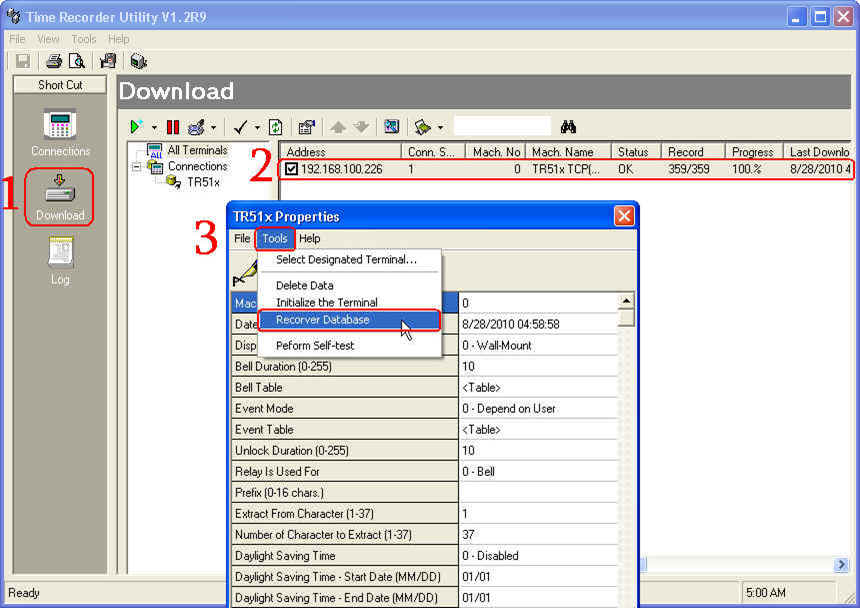

Comments